






Important Information

This website is managed by Ultima Markets’ international entities, and it’s important to emphasise that they are not subject to regulation by the FCA in the UK. Therefore, you must understand that you will not have the FCA’s protection when investing through this website – for example:

  • You will not be guaranteed Negative Balance Protection
  • You will not be protected by FCA’s leverage restrictions
  • You will not have the right to settle disputes via the Financial Ombudsman Service (FOS)
  • You will not be protected by Financial Services Compensation Scheme (FSCS)
  • Any monies deposited will not be afforded the protection required under the FCA Client Assets Sourcebook. The level of protection for your funds will be determined by the regulations of the relevant local regulator.

Note: UK clients are kindly invited to visit https://www.ultima-markets.co.uk/. Ultima Markets UK expects to begin onboarding UK clients in accordance with FCA regulatory requirements in 2026.

If you would like to proceed and visit this website, you acknowledge and confirm the following:

  • 1.The website is owned by Ultima Markets’ international entities and not by Ultima Markets UK Ltd, which is regulated by the FCA.
  • 2.Ultima Markets Limited, or any of the Ultima Markets international entities, are neither based in the UK nor licensed by the FCA.
  • 3.You are accessing the website at your own initiative and have not been solicited by Ultima Markets Limited in any way.
  • 4.Investing through this website does not grant you the protections provided by the FCA.
  • 5.Should you choose to invest through this website or with any of the international Ultima Markets entities, you will be subject to the rules and regulations of the relevant international regulatory authorities, not the FCA.

Ultima Markets wants to make it clear that we are duly licensed and authorised to offer the services and financial derivative products listed on our website. Individuals accessing this website and registering a trading account do so entirely of their own volition and without prior solicitation.

By confirming your decision to proceed with entering the website, you hereby affirm that this decision was solely initiated by you, and no solicitation has been made by any Ultima Markets entity.

I confirm my intention to proceed and enter this website Please direct me to the website operated by Ultima Markets , regulated by the FCA in the United Kingdom

MetaTrader 4

Trade global markets with MetaTrader 4 (MT4), one of the world’s most trusted trading platforms.

With Ultima Markets, access forex, gold, commodities, and CFDs with advanced tools, fast execution, and a smooth trading experience.

  • Ultra-fast Execution
  • 1,000+ Instruments
  • Regulated Broker

MetaTrader 4

MT4 Visual

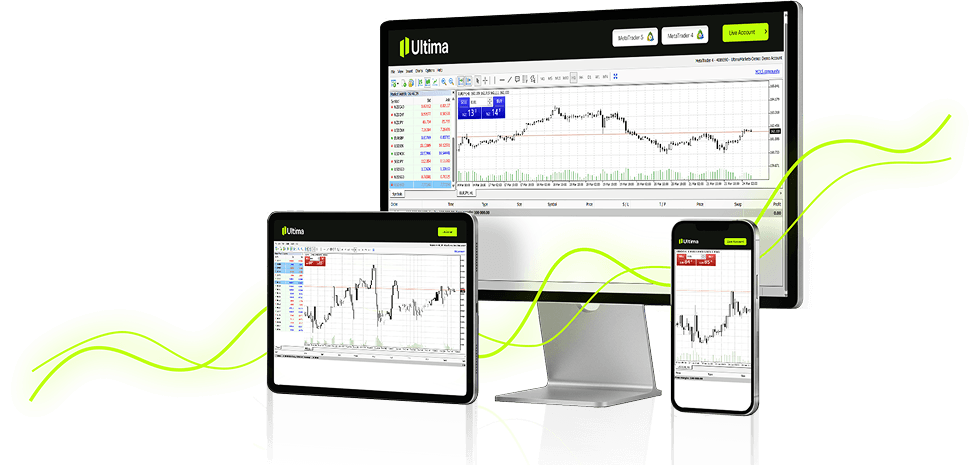
Download MetaTrader 4 (MT4) on Any Device

Be it desktop, mobile, or web, gain access to your trades on MT4 from any device in your hand.

iOS & Android

Trade on the go with the MT4 mobile app. Anytime, anywhere.

Windows & macOS

Optimised native app for Mac with seamless performance.

Web Terminal

Trade directly from your browser, no download required.

What You'll Get with Ultima Markets' MT4

Experience the difference with institutional-grade tools, tight spreads, and a platform built for serious traders.

Ultra-Fast Execution

Execute trades in milliseconds with Ultima Markets' low-latency infrastructure and Equinix servers.

Ultra-Fast Execution

Risk Management

Built-in stop-loss, take-profit, and trailing stop orders. Calculate lot sizes based on your risk tolerance.

Risk Management

EA & Automated Trading

Deploy Expert Advisors (EAs) and automated strategies. Copy trades from top-performing MT4 traders.

EA & Automated Trading

Advanced Charting

30+ built-in technical indicators, 9 timeframes, and fully customisable interactive charts.

Advanced Charting

Market Sentiment Tools

Monitor real-time market sentiment, live pricing, and breaking news directly inside MT4.

Market Sentiment Tools

Multi-Language Support

Trade comfortably in 22+ languages with localised interface and 24/5 multilingual support.

Multi-Language Support

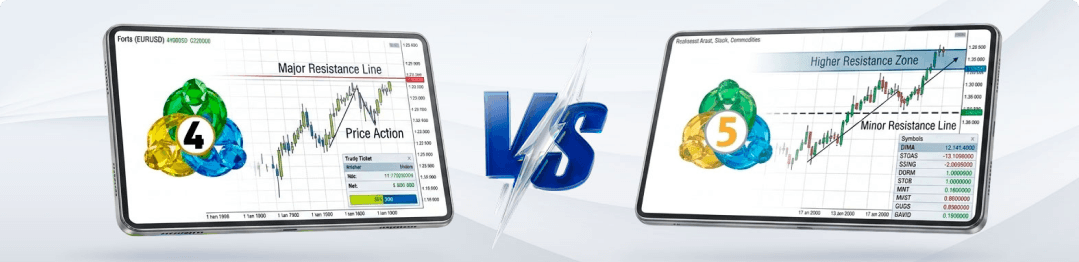
MT4 vs MT5

Compare both our platforms and discover which one suits you best.

VS
Trading Markets: MT4Forex & CFDs only MT5Forex, Stocks, Futures, Indices etc
Chart Timeframes: MT49 timeframes MT521 timeframes
Built-in Indicators: MT430+ indicators MT580+ indicators
Order Types: MT44 order types MT56 order types
Depth of Market (DOM): MT4Not available MT5Level II included
Financial Calendar: MT4Not available MT5Built-in
Hedging & Netting: MT4Hedging only MT5Both modes supported
EA / Automation language: MT4MQL4 MT5MQL5, faster, object-oriented
Strategy Back-testing: MT4Single currency MT5Multi-currency, multi-pass

MetaTrader 4

Trading Markets: MT4Forex & CFDs only
Chart Timeframes: MT49 timeframes
Built-in Indicators: MT430+ indicators
Order Types: MT44 order types
Depth of Market (DOM): MT4Not available
Financial Calendar: MT4Not available
Hedging & Netting: MT4Hedging only
EA / Automation language: MT4MQL4
Strategy Back-testing: MT4Single currency

MetaTrader 5

Trading Markets: MT5Forex, Stocks, Futures, Indices etc
Chart Timeframes: MT521 timeframes
Built-in Indicators: MT580+ indicators
Order Types: MT56 order types
Depth of Market (DOM): MT5Level II included
Financial Calendar: MT5Built-in
Hedging & Netting: MT5Both modes supported
EA / Automation language: MT5MQL5, faster, object-oriented
Strategy Back-testing: MT5Multi-currency, multi-pass

Start Trading with Ultima Markets Today

  • Low Spread
  • Transparent Costs
  • High Leverage
CTA Visual

How to Download & Set Up MT4

Get started in 4 simple steps. From account creation to your first trade.

Get started in 4 simple steps. From account creation to your first trade.

1
Step 1
Open a Live Trading Account
Register for a free Ultima live or demo account within 1 min.
2
Step 2
Download MT4
Choose your preferred device (Windows, MacOS, IOS, Android or Web) and download.
3
Step 3
Login to MT4
Enter your Ultima Markets trading credentials into MT4 and connect to the server.
4
Step 4
Start Trading
Fund your account, select your markets, and place your first trade on MT4.

Frequently Asked Questions

  • What is MetaTrader 4?

    MetaTrader 4 (MT4) is a widely used online trading platform designed for forex and CFD trading. Known for its reliability and user-friendly interface, MT4 allows traders to analyse market trends with technical indicators, place trades, and automate strategies through Expert Advisors (EAs). Its intuitive layout and real-time charting tools make it popular among beginners and experienced traders alike.

  • How to download MetaTrader 4 from Ultima Markets?

    Visit the Ultima Markets MT4 page and choose the appropriate version for your device, Windows, macOS, iOS, or Android. Click the download button, run the installation file, and log in using your Ultima Markets trading credentials. The process is quick and beginner-friendly, helping you start trading forex on MT4 in just a few steps.

  • Can I use MetaTrader 4 on Windows and macOS?

    Yes, MetaTrader 4 is compatible with both Windows and macOS systems. Ultima Markets offers MT4 downloads for both platforms directly from their website. Whether you’re using a desktop, laptop, or mobile device, you can access MT4 through native apps or the web platform for maximum flexibility.

  • How to use MetaTrader 4 for trading on Ultima Markets?

    Log in to MT4 with your Ultima Markets account, explore the Market Watch section to find currency pairs, open charts for technical analysis, and apply indicators. When ready, click “New Order” to place a trade, set your lot size, stop-loss, and take-profit levels. MT4 provides a seamless experience for executing trades and tracking positions in real time.

  • What is the difference between MetaTrader 4 and MetaTrader 5?

    MT4 is tailored for forex trading and is simple to use, making it ideal for beginners. MT5 supports a wider range of assets including stocks and futures, offers additional chart timeframes, faster execution, and features like Depth of Market (DOM) and an economic calendar. MT4 remains the preferred choice for dedicated forex traders.

  • Is MetaTrader 4 free to download?

    Yes, MetaTrader 4 is completely free to download and use. You can download it for Windows, macOS, iOS, Android, or trade directly via the web terminal. There are no platform fees, you only pay trading spreads and commissions as applicable to your account type.

Thank you for visiting the Ultima Markets website. Please note that this website is intended for individuals residing in jurisdictions where access is permitted by law. Ultima and its affiliated entities do not operate in your home jurisdiction.

By clicking ‘Acknowledge’, you confirm that you are entering this website solely on your own initiative and not as a result of any specific marketing outreach. You wish to obtain information from this website based on reverse solicitation principles, in accordance with the applicable laws of your home jurisdiction.